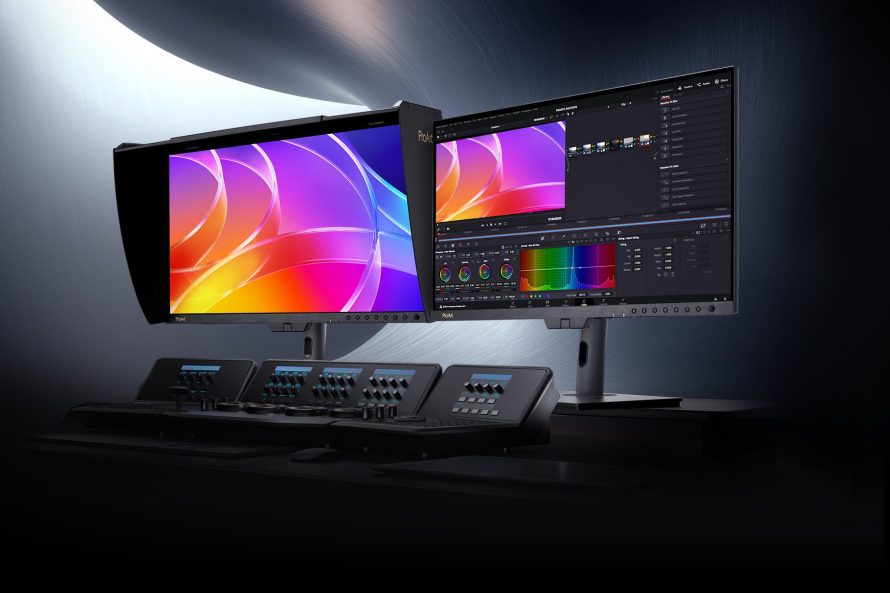
ASUS is expanding its ProArt OLED lineup with two creator-focused monitors that look similar on paper but target slightly different production setups: the 26.5-inch ProArt Display OLED PA27USD and the 31.5-inch ProArt Display OLED PA32USD. Both are built around 4K QD-OLED panels, serious color tools, and broadcast-friendly connectivity, because apparently regular monitors were not intimidating enough for editors, colorists, and VFX people who already live inside timelines.
The core idea is simple: the PA27USD gives creators a more compact professional OLED workstation display, while the PA32USD offers a larger canvas with extra SDI flexibility. Both models support 240Hz refresh rate, 1000-nit peak brightness, 99% DCI-P3, true 10-bit color, and Delta E less than 1 accuracy, so the difference is less about image quality and more about workspace, I/O needs, and how much desk real estate you are willing to sacrifice to the productivity gods.
Same ProArt DNA, Different Screen Sizes
The most obvious difference is size. The PA27USD uses a 26.5-inch panel, while the PA32USD steps up to a 31.5-inch panel. Both use a 16:9 widescreen format and share the same 3840 x 2160 resolution, meaning the smaller PA27USD has a sharper 166 PPI density, while the PA32USD sits at 140 PPI. In plain human terms, the PA27USD delivers denser detail, while the PA32USD gives you more physical workspace for editing panels, scopes, timelines, and all the little windows software keeps spawning like it pays rent.
For creators who work in compact studio spaces or move between setups, the PA27USD may feel more manageable. It is lighter, smaller, and also offered in a Panaro MAX Rugged Case Edition for mobile production workflows. The PA32USD, meanwhile, makes more sense for users who want a larger preview area without moving to an ultrawide or dual-monitor setup.
Color Accuracy and HDR Are Basically Shared Weapons
Both displays are clearly aimed at serious visual work. The PA27USD and PA32USD cover 99% DCI-P3, 100% sRGB, and 100% Rec. 709, with true 10-bit color depth for more than 1.07 billion colors. They are factory calibrated to Delta E less than 1, which is the kind of spec that makes colorists nod quietly instead of making gamer faces at RGB lighting.
HDR support is also consistent across the two models. Both support HDR10, HLG, and Dolby Vision, with up to 1000 nits peak brightness on a 3% window. That makes them suitable not only for editing and grading HDR content, but also for checking how visual work behaves across modern streaming, broadcast, and production formats.
ASUS also includes ProArt Hardware Calibration support, Calman compatibility, and Light Illusion ColourSpace CMS support. The important part is that color profiles are saved directly to the monitor hardware, not only to the computer. That means the calibration stays useful even when switching between operating systems or different editing machines.
Built-In Calibration Makes Both Monitors More Studio-Friendly
One of the strongest shared features is the built-in motorized flip colorimeter. Both monitors can perform self-calibration without depending on extra calibration software. Users can run calibration manually or schedule it through the OSD, which is very convenient for studios that do not enjoy turning color management into a weekly ritual of cables, dongles, and quiet despair.
The ProArt Color Center adds remote group control and calibration management, making both displays suitable for teams or multi-monitor environments. For creators working across grading suites, production houses, or shared workstations, this is more useful than it sounds. Consistent color across multiple displays is not glamorous, but neither is fixing a project because one screen lied beautifully.
Both monitors also include ASUS OLED Care with panel protection, image protection, pixel shift, screen saver functions, and a proximity sensor that dims the screen when no user is detected. OLED burn-in prevention matters here, especially because professional workflows often involve static UI elements such as timelines, scopes, toolbars, and broadcast overlays.
Connectivity Is Where the PA32USD Pulls Ahead
The biggest technical split is SDI. The PA27USD includes one 12G-SDI input, while the PA32USD includes two 12G-SDI inputs. Both support uncompressed video signals up to 4K at 60Hz, but the PA32USD offers more flexibility for broadcast, monitoring, capture, or multi-source production workflows.
Outside SDI, both monitors are stacked. They include dual Thunderbolt 4 USB-C ports, with one supporting up to 96W Power Delivery and the other supporting daisy-chain use. They also include HDMI 2.1, DisplayPort 2.1, a USB 3.2 hub with two USB Type-A ports and one USB Type-C port, plus an earphone jack. The PA32USD adds a second USB-C hub port according to the listed specifications, giving it a small edge for peripheral-heavy setups.
For daily creative work, the PA27USD is the more compact and portable choice, especially with the rugged case option. The PA32USD is the stronger fit if you want a larger screen and need more SDI flexibility. ASUS says the ProArt Display OLED PA27USD and PA27USD Panaro MAX Rugged Case Edition will be available in May for US$2199 and US$2599, while the ProArt Display OLED PA32USD is expected in June for US$2699. In typical ASUS fashion, both monitors are not exactly casual purchases, but they are clearly built for creators who need accurate OLED color, fast refresh, and production-grade connectivity in one display.
| Specification | ProArt Display OLED PA27USD | ProArt Display OLED PA32USD |
|---|---|---|
| Panel Size | 26.5-inch widescreen, 16:9 | 31.5-inch widescreen, 16:9 |
| Panel Type | QD-OLED | QD-OLED |
| Resolution | 3840 x 2160 | 3840 x 2160 |
| Pixel Density | 166 PPI | 140 PPI |
| Brightness | 1000 cd/m2 peak HDR, 250 cd/m2 typical | 1000 cd/m2 peak HDR, 250 cd/m2 typical |
| Refresh Rate | Up to 240Hz | Up to 240Hz |
| Response Time | 0.1ms GTG | 0.1ms GTG |
| Color Coverage | 100% sRGB, 99% DCI-P3 | 100% sRGB, 99% DCI-P3 |
| Color Depth | True 10-bit, 1.07 billion colors | True 10-bit, 1.07 billion colors |
| Color Accuracy | Delta E less than 1 | Delta E less than 1 |
| HDR Support | HDR10, HLG, Dolby Vision | HDR10, HLG, Dolby Vision |
| Built-In Colorimeter | Yes | Yes |
| SDI Input | 12G-SDI x 1 | 12G-SDI x 2 |
| Thunderbolt 4 | USB-C x 2, daisy-chain support | USB-C x 2, daisy-chain support |
| Power Delivery | USB-C Power Delivery up to 96W | USB-C Power Delivery up to 96W |
| Other Video Inputs | HDMI 2.1 x 2, DisplayPort 2.1 x 1 | HDMI 2.1 x 1, DisplayPort 2.1 x 1 |
| USB Hub | USB 3.2 Gen 2 Type-A x 2, USB-C x 1 | USB 3.2 Gen 2 Type-A x 2, USB-C x 1 |
| Speakers | 3W x 2 | 3W x 2 |
| Typical Power Use | Less than 32W | Less than 50W |
| Dimensions with Stand | 61.03 x 58.49 x 23.97 cm | 71.83 x 61.58 x 23.97 cm |
| Net Weight with Stand | 7.50 kg | 9.08 kg |
| Warranty | 3 years, including panel burn-in | 3 years, including panel burn-in |
| Availability and Price | May, US$2199; Panaro MAX Rugged Case Edition US$2599 | Expected June, US$2699 |